Knowledge base › Taking payment
Open payment from the ticket with Pay, or from an order with Take payment.
Steps
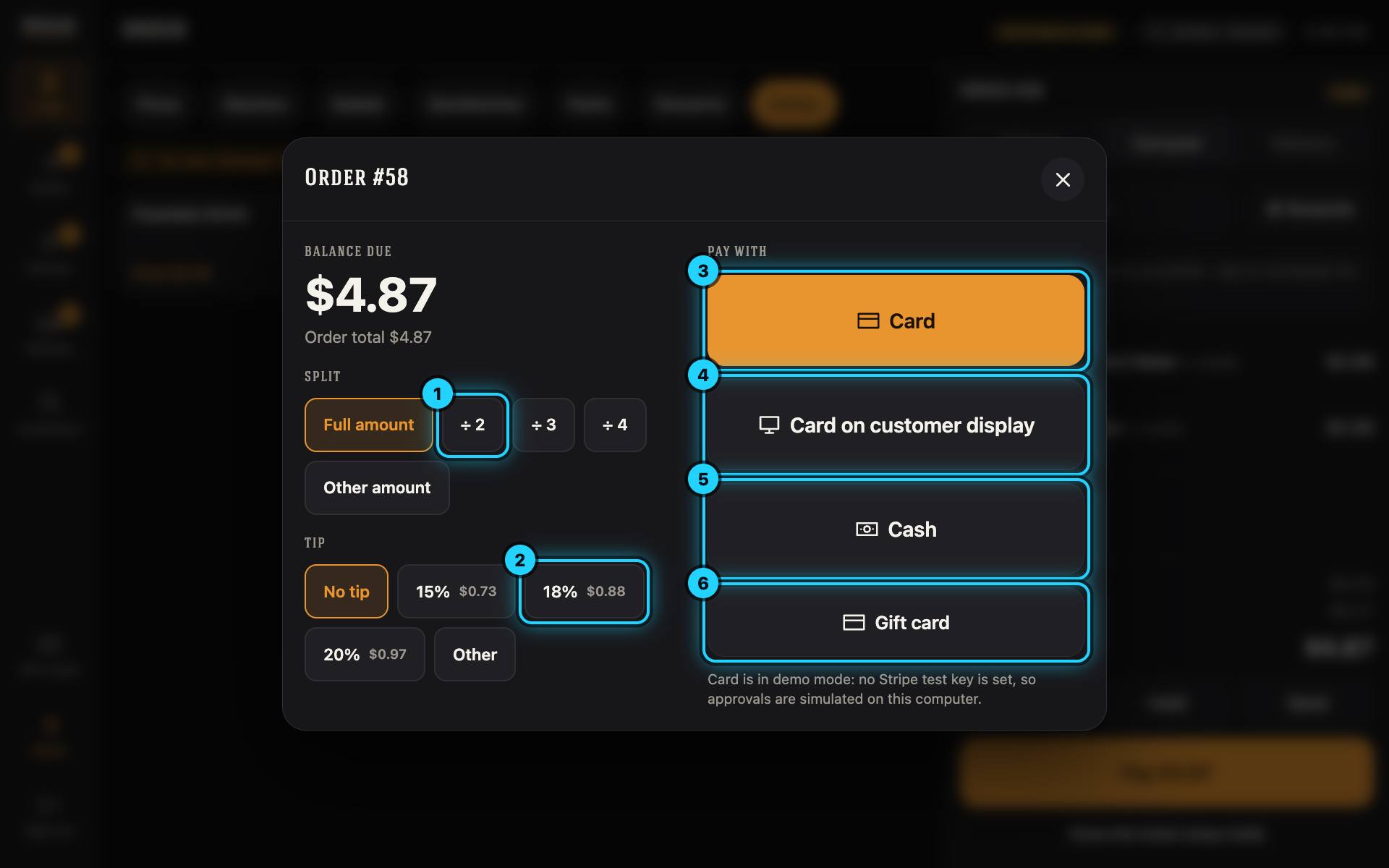
- Under Split, leave it on Full amount, split it by 2, 3 or 4, or press Other amount for a part payment.
- Under Tip, pick a percent, Other, or No tip.
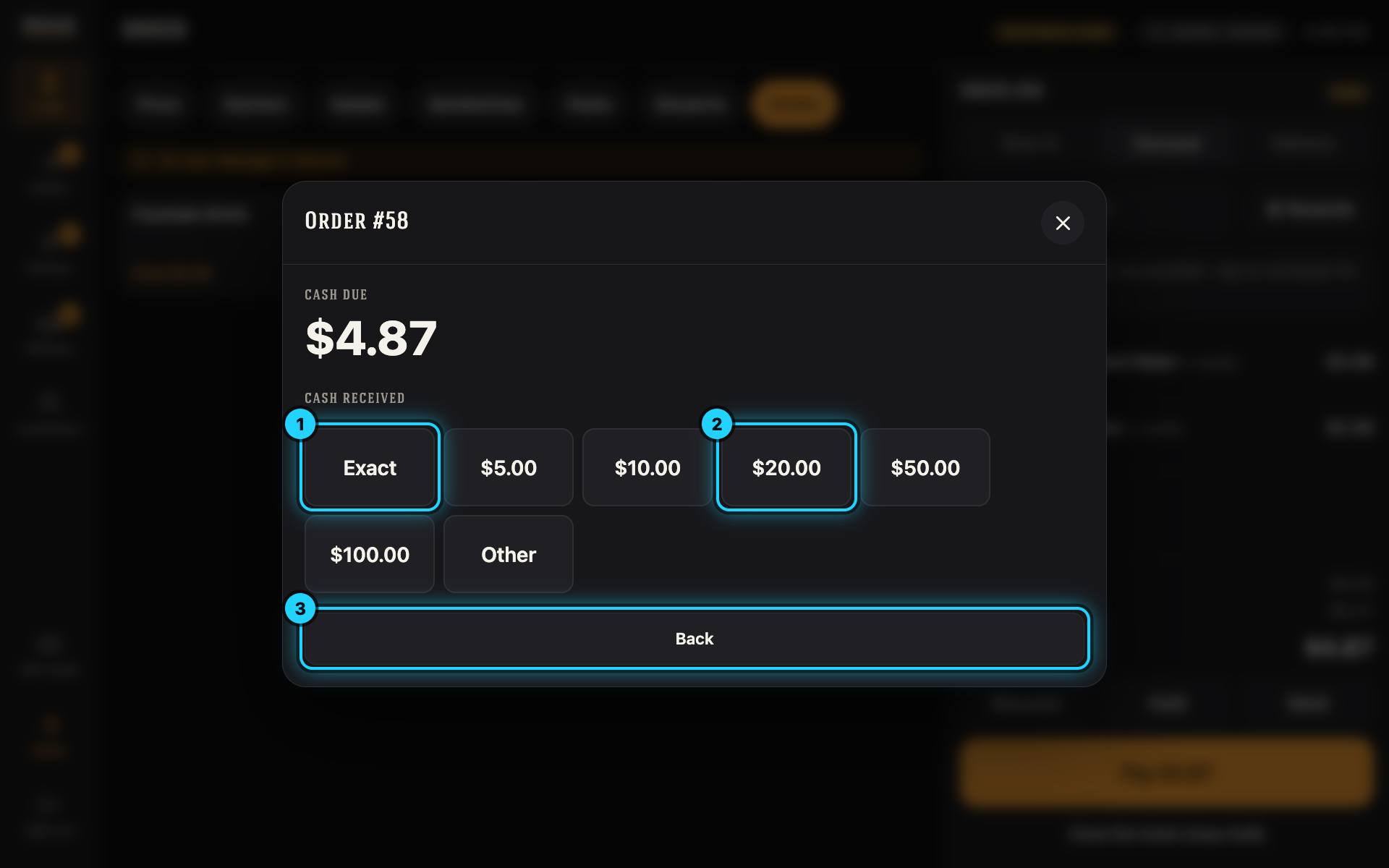
- For cash, press Cash, then the amount handed over. The screen shows the change due.
- For a card, press Card and have the customer tap, insert or swipe.
- If a balance is left, press Take next payment. Otherwise press Done.
- Press Receipt to print one.
Good to know
- Cash goes to the drawer of the register that took it.
- Until a real card processor is connected, card approvals are pretend. The top bar shows "Card demo mode".