Knowledge base › Taking payment
A manager can approve holding a card until the connection is back. ROUX never sees or saves the card number.
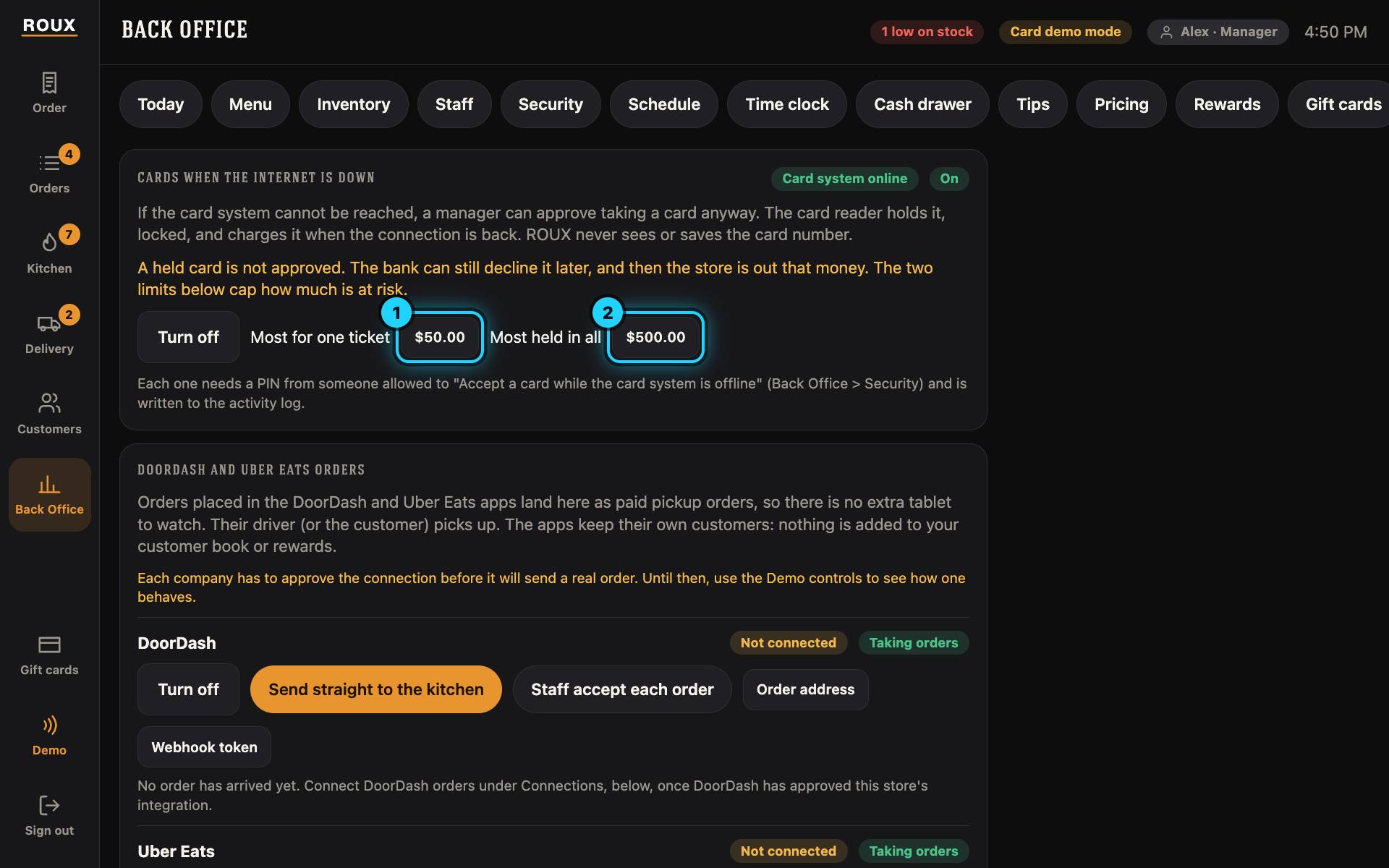
Turn it on
- Open Back Office > Settings and find Cards when the internet is down.
- Set Most for one ticket and Most held in all, then press Turn on.
Use it
- Registers show a red Cards offline tag in the top bar.
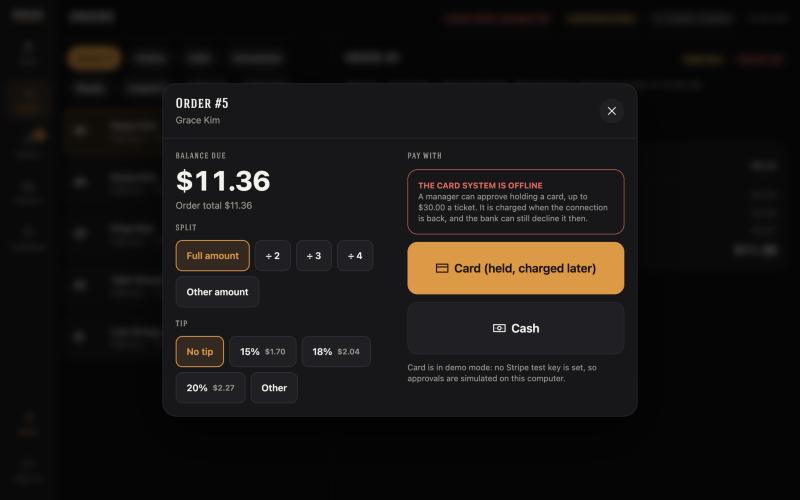
- In the payment window press Card (held, charged later). A manager enters their PIN.
- The customer presents the card. The screen says Card held.
- When the connection returns, held cards are charged by themselves.
- Check the Settings card afterwards for any that were declined, take payment another way, and press Clear.
Good to know
- A held card can still be declined later, and the store carries that loss. The limits cap it.
- This needs a card reader that can hold cards. Today it only works with the pretend reader.