Knowledge base › Customers, rewards and texts
Order-ready and on-the-way texts, and offers to rewards members. Only to people who said yes.
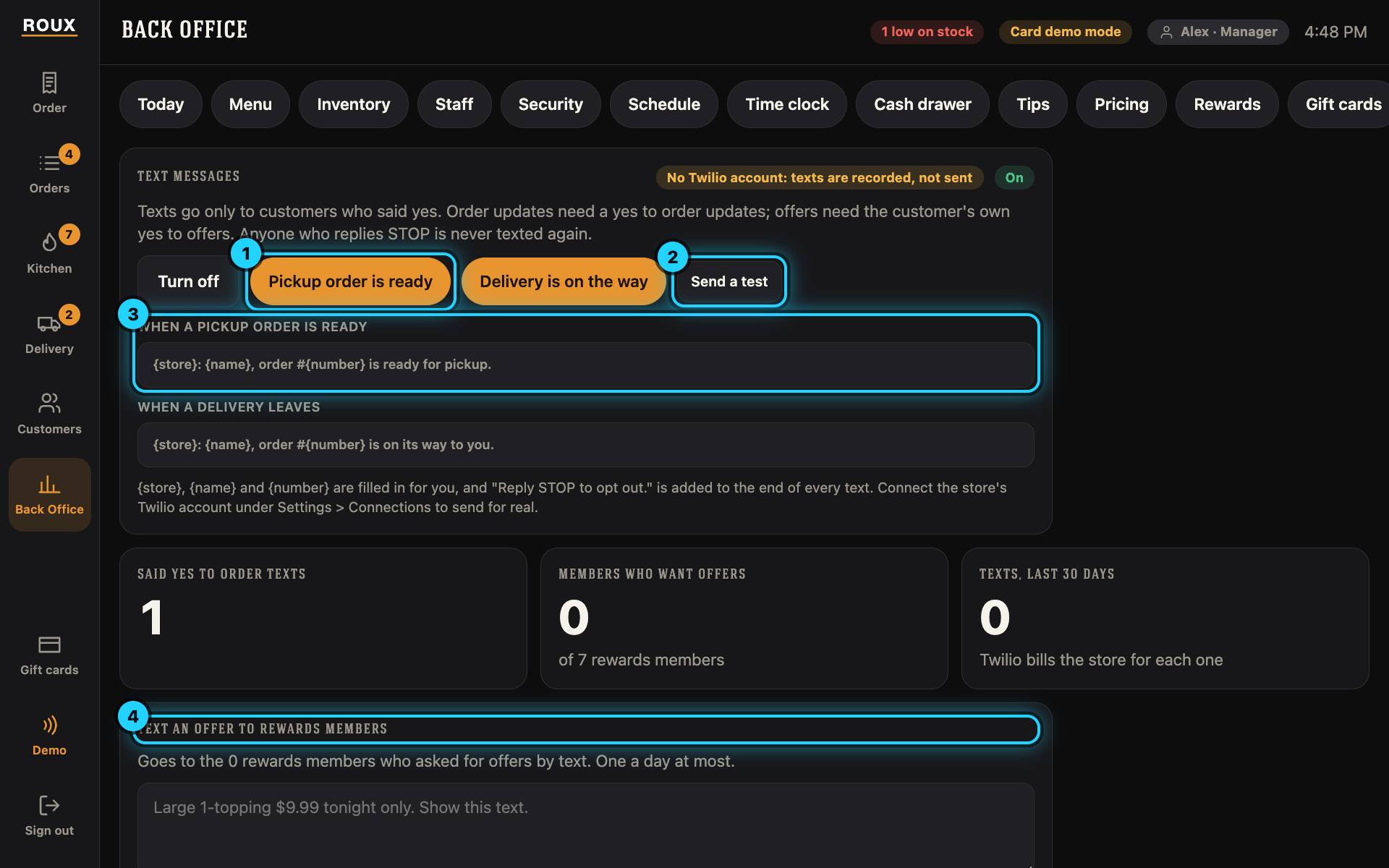
Turn it on
- Get a Twilio account and texting number for this store, and register the number for business texting.
- Connect Twilio in Back Office > Settings > Connections.
- In Back Office > Texts press Turn on, choose which order texts to send, and press Send a test.
Get a yes
- Online, the customer ticks the boxes they want.
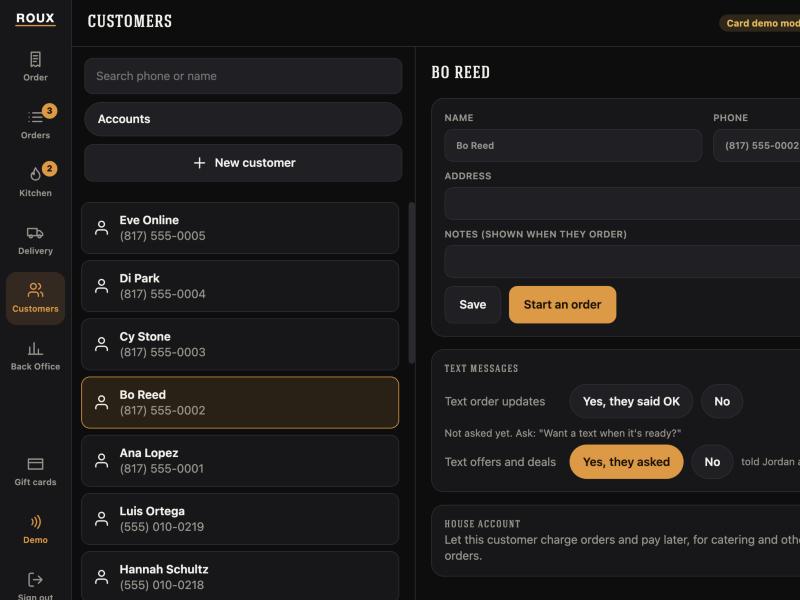
- At the register, open the customer and press Yes, they said OK for order texts.
- Press Yes, they asked for deals only if they clearly asked.
Send an offer
- In Back Office > Texts type the offer, read the preview, and press Send the offer.
Good to know
- Offers go out only Monday to Saturday 9am to 9pm and Sunday noon to 9pm, once a day at most.
- Anyone who replies STOP is switched off.
- Paid add-on.