Knowledge base › Staff and security
Plan the week, publish it, and export hours for payroll.
Set it up
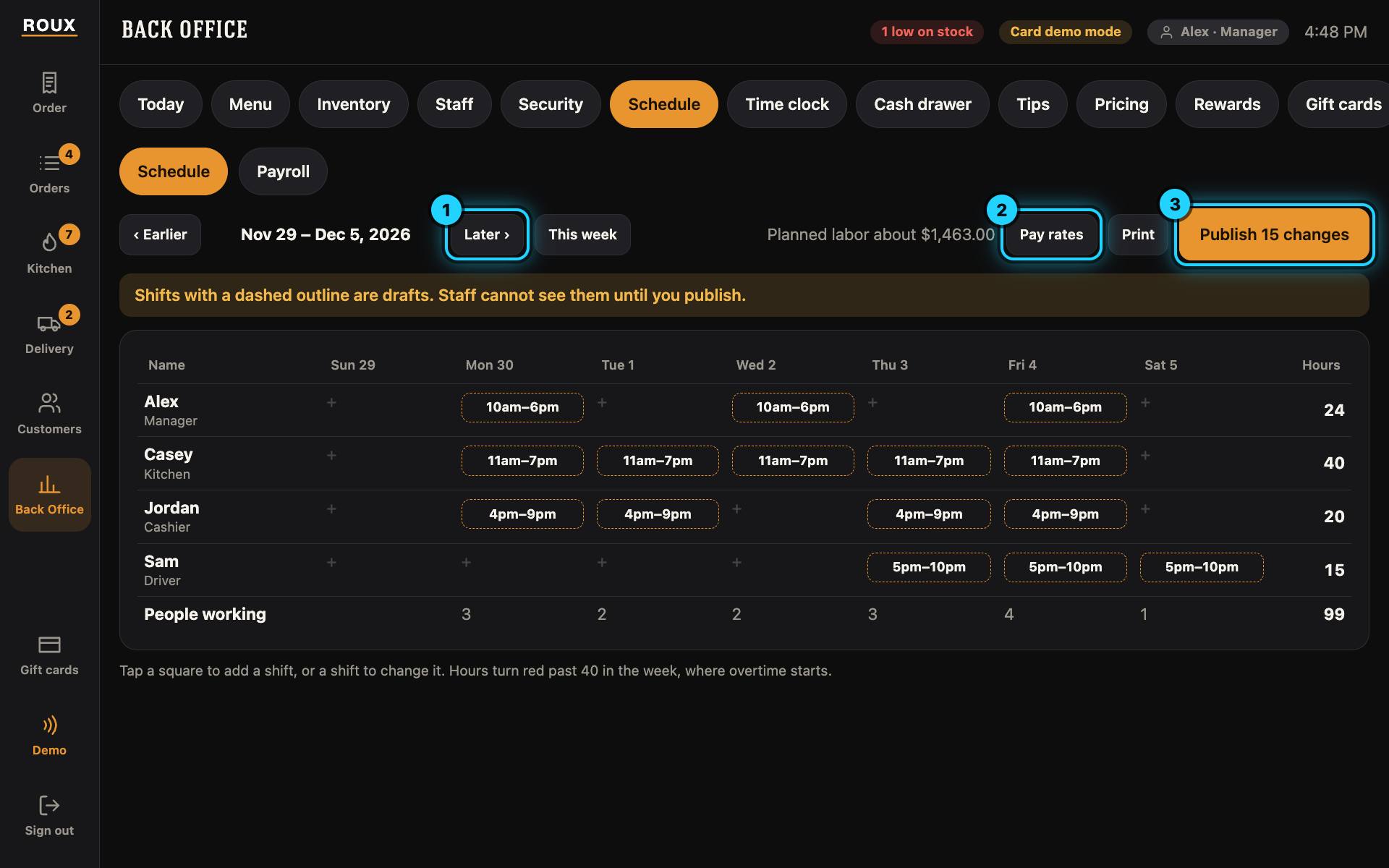
- In Back Office > Schedule press Pay rates. Enter each person's hourly rate per position and their payroll ID.
Make the schedule
- Tap a square to add a shift. Tap a shift to change it. Copy last week fills an empty week.
- Press Publish. Staff then see their shifts on their shift page.
Run payroll
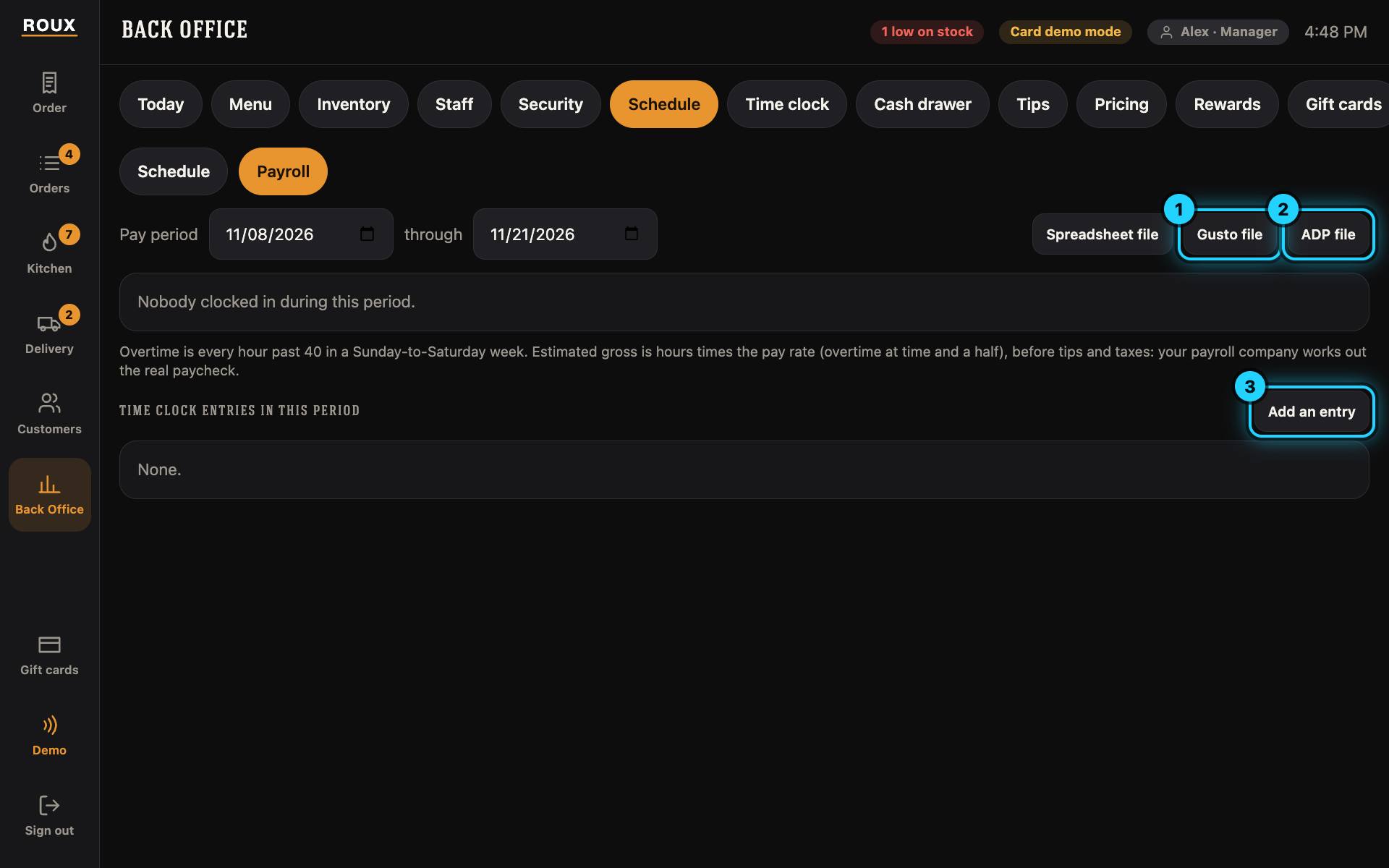
- Open Payroll and set the pay period.
- Read the warnings and Fix any wrong entries.
- Press Gusto file, ADP file or Spreadsheet file.
Good to know
- Overtime is hours past 40 in a Sunday-to-Saturday week.
- ROUX exports hours and tips; your payroll company works out the paycheck.
- Check the Gusto and ADP files against your own template before relying on them.