Knowledge base › Kitchen and delivery
ROUX's own kitchen display. Orders move from the make line to cut and expo, then to ready.
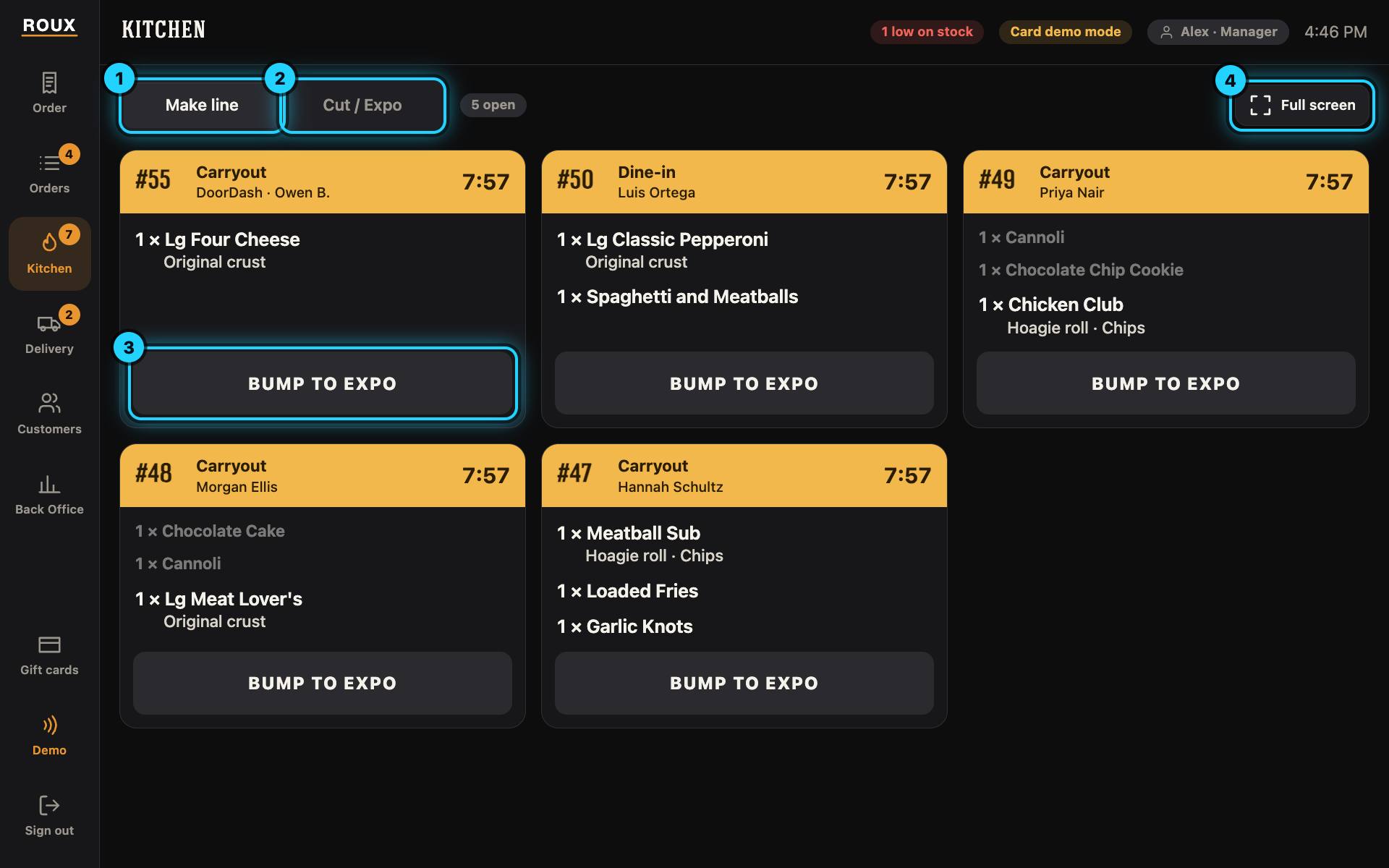
Steps
- Open Kitchen on a screen in the kitchen. There are two views: Make line and Cut / Expo.
- New orders appear on the make line with their items, changes and notes.
- When it is made, bump the ticket. It moves to Cut / Expo.
- When it is boxed or plated, bump it again. It is now ready.
- Bumped the wrong one? Press Undo last bump.
Good to know
- An order with nothing to cook (drinks only, say) goes straight to expo.
- Bumping is a permission, so a kitchen sign-in can bump without being able to take payments.
- When an order becomes ready, a text goes out if texts are on and the customer said yes.