Knowledge base › Online and app orders
Let online customers choose delivery.
Turn it on
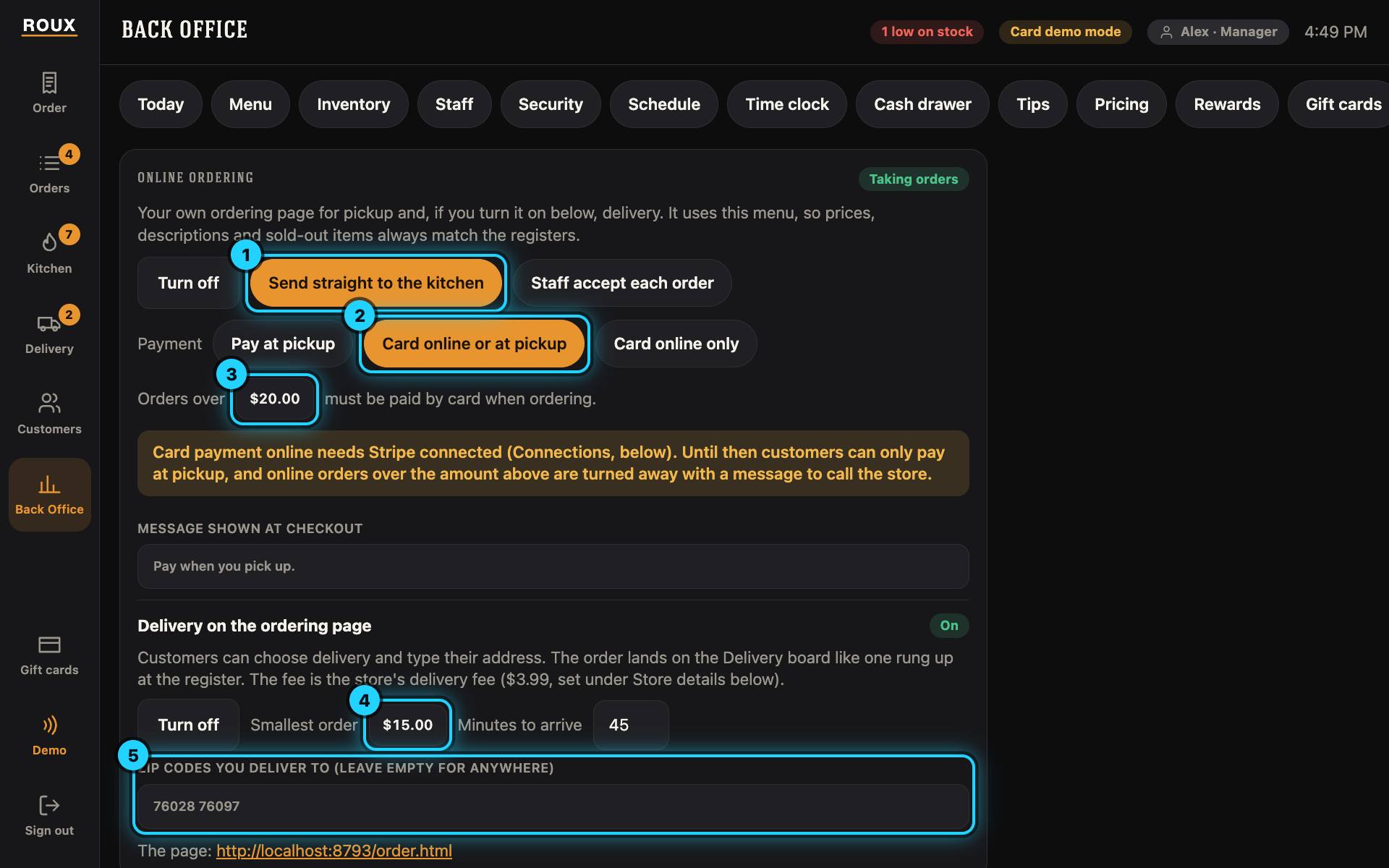
- In Back Office > Settings > Online ordering, under Delivery on the ordering page, press Turn on.
- Set the smallest order, the minutes to arrive, and the ZIP codes you deliver to (empty means anywhere).
Use it
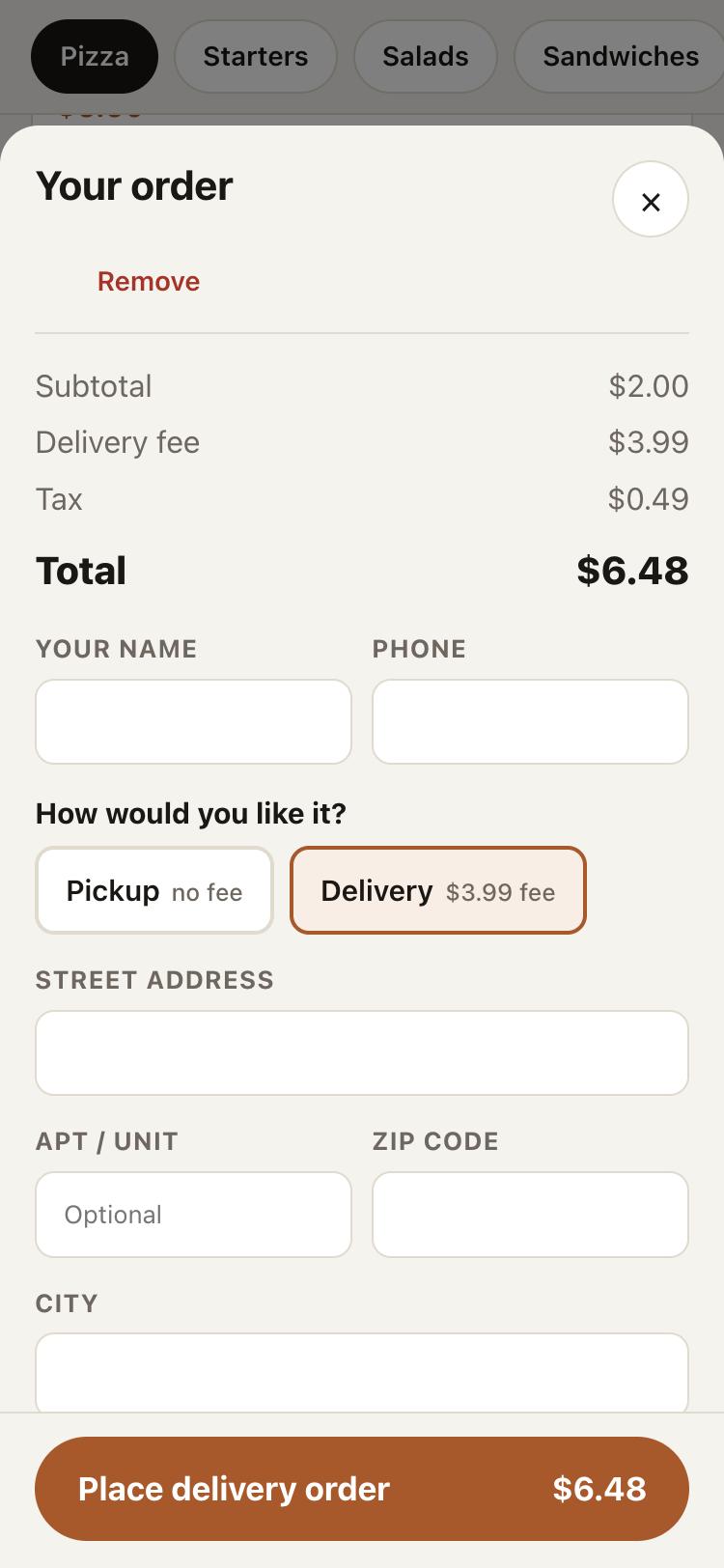
- The customer picks Delivery and enters their address.
- The order arrives as an online delivery and shows on the Delivery board when ready.
Good to know
- The area is by ZIP code only. The fee is the store's one delivery fee.
- Because of the card-over-$20 rule, most delivery orders are prepaid by card.